Guide
Read from a teleprompter without it showing
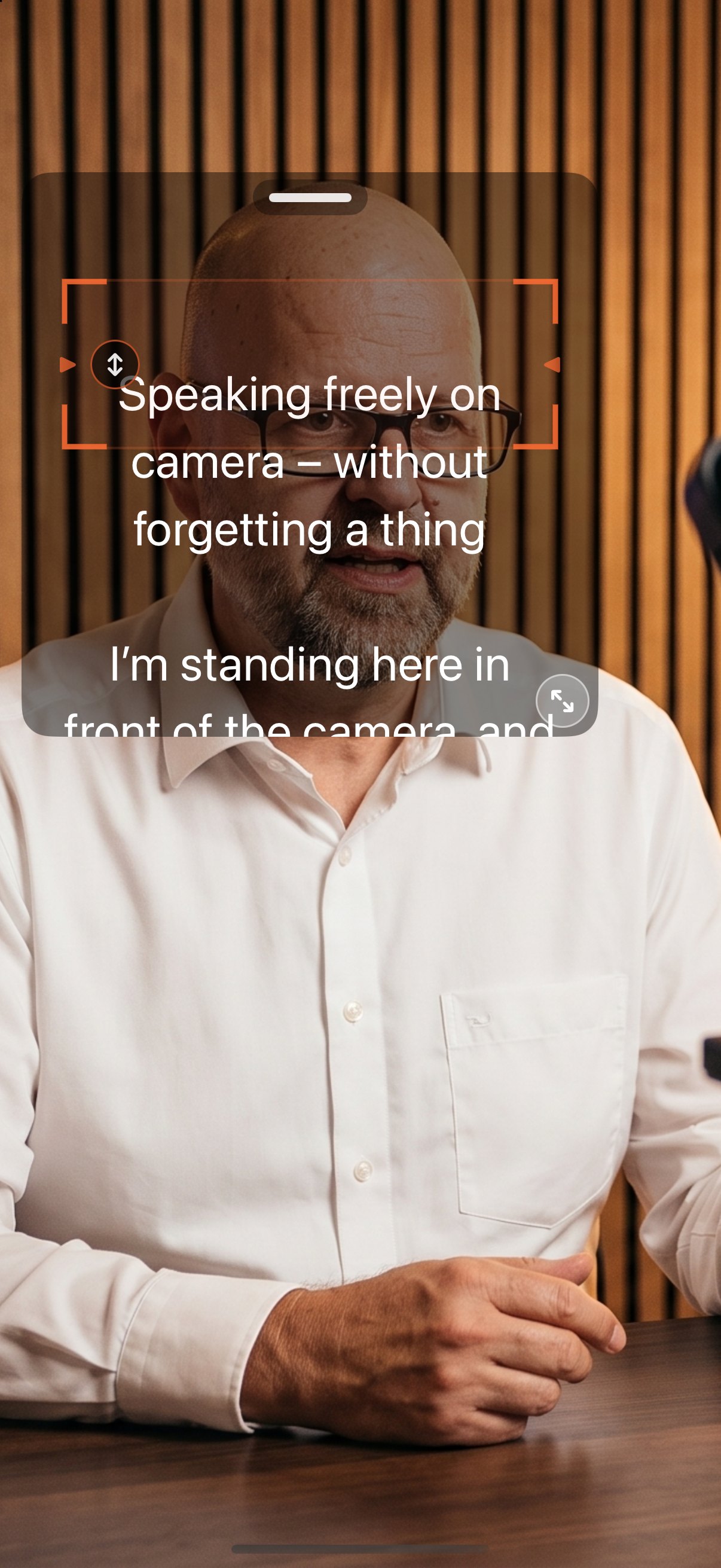
Reading shows when your eyes move. You avoid that by placing the text right next to the lens, keeping lines short, and letting the text follow your speech instead of chasing it.
What to do
- Put the text at the lens. On iPhone and iPad it sits in a window over the camera image while recording: drag the grip at the top to move it, resize it at the corner or with two fingers.
- Make the window narrow. Short lines mean small eye movements.
- Choose “Follow spoken words”. The app keeps the passage you are saying on the reading line and waits when you pause.
- Step further back from the camera and increase the font size. The greater the distance, the less your eye movement shows.
- With teleprompter glass in front of the lens: switch on mirror mode and you read straight through the lens.
Good to know
- The text window is available on iPhone and iPad for direct recording, not with pairing or the browser display.
- Only the camera image with sound is recorded. The script never appears in the video.
- Word tracking, recording and mirror mode are part of the full version; one trial run is free.
AI Teleprompter: Video Studio
Available on the App Store
iPhone · iPad · Mac · Apple Watch
AI Teleprompter: Video Studio for iPhone, iPad, Mac and Apple Watch. Fixed-speed prompting is free, the full version is a one-time purchase or weekly subscription, no account, no ads, no tracking.
App Store